See It In Action
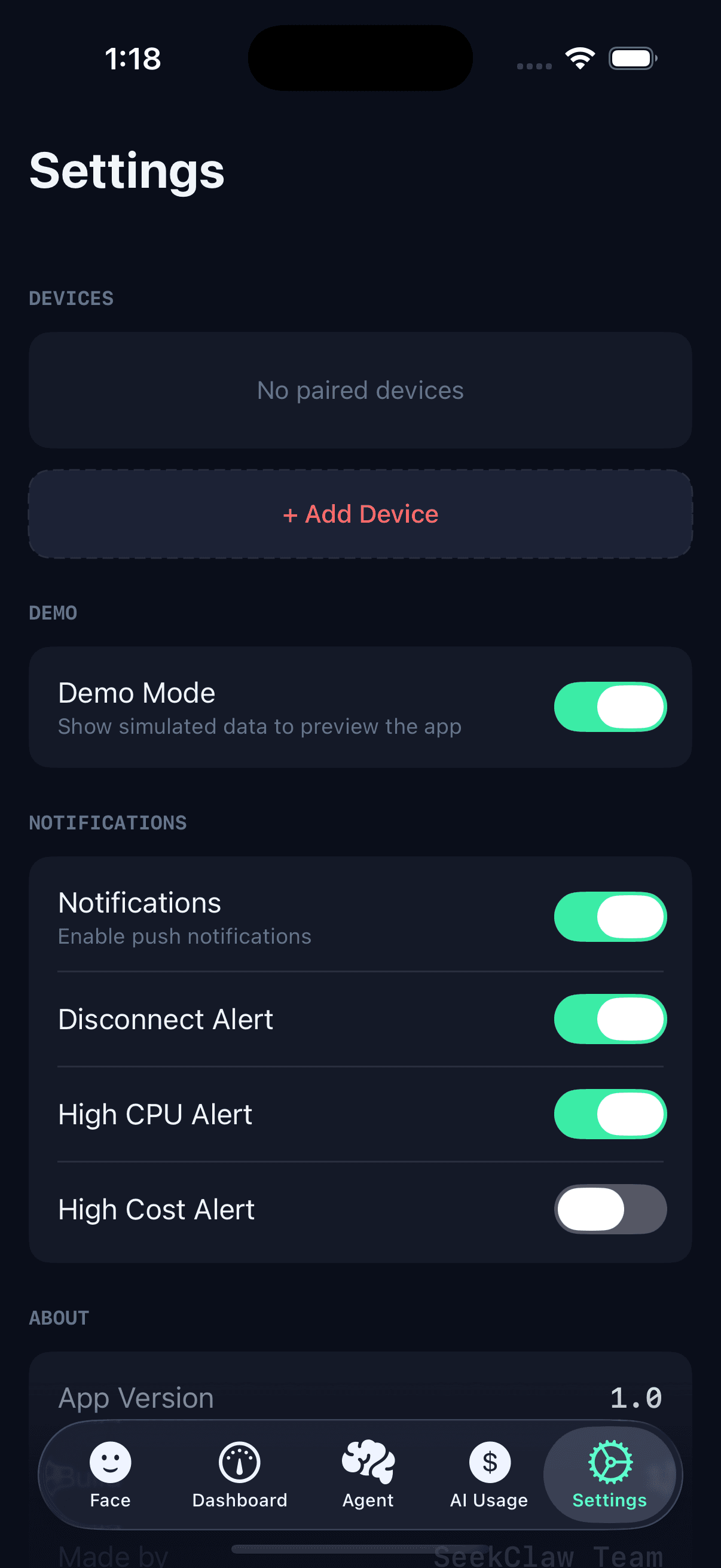
What ClawFace Sees
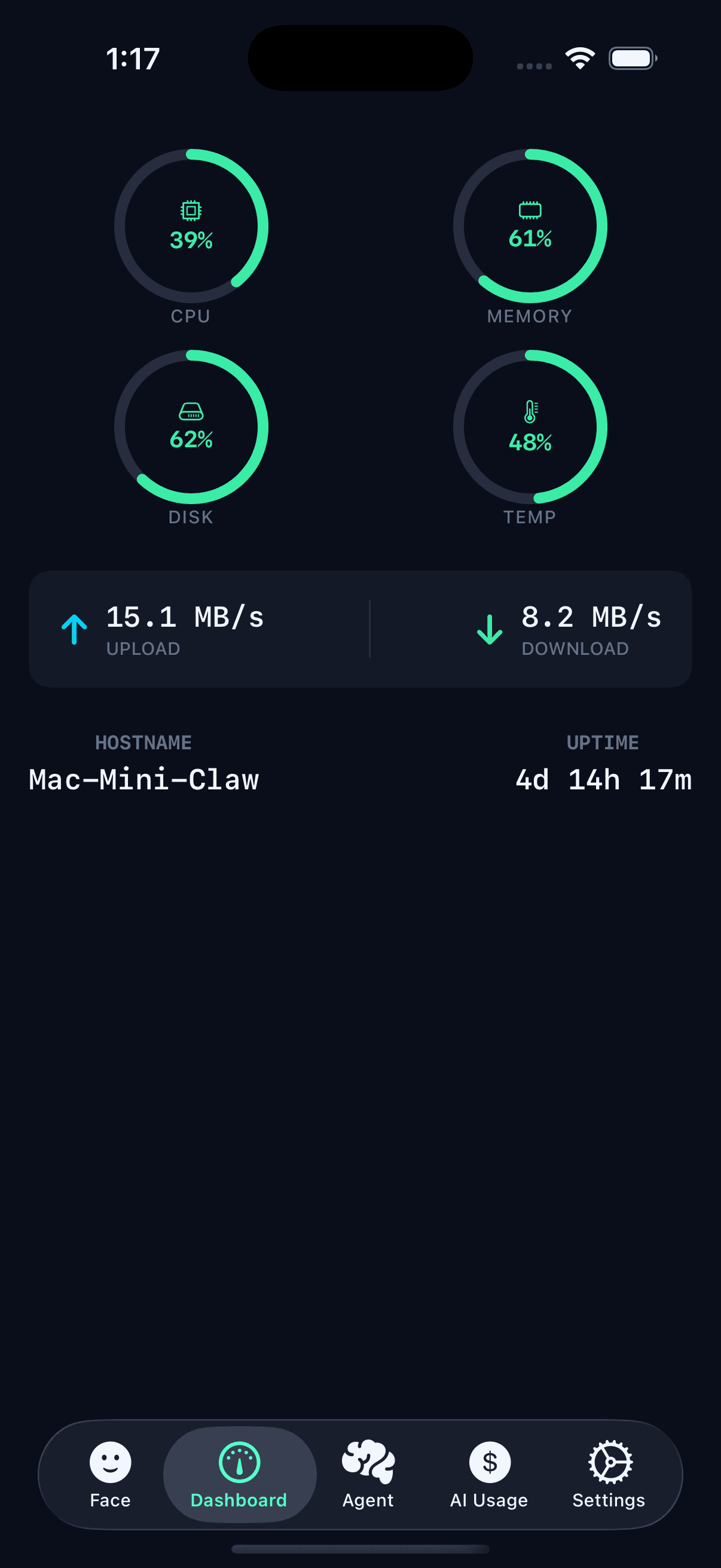
Real-Time System Monitor
CPU, memory, GPU temperature, disk, and network — all at a glance. Know exactly which AI models are consuming your Mac’s resources.
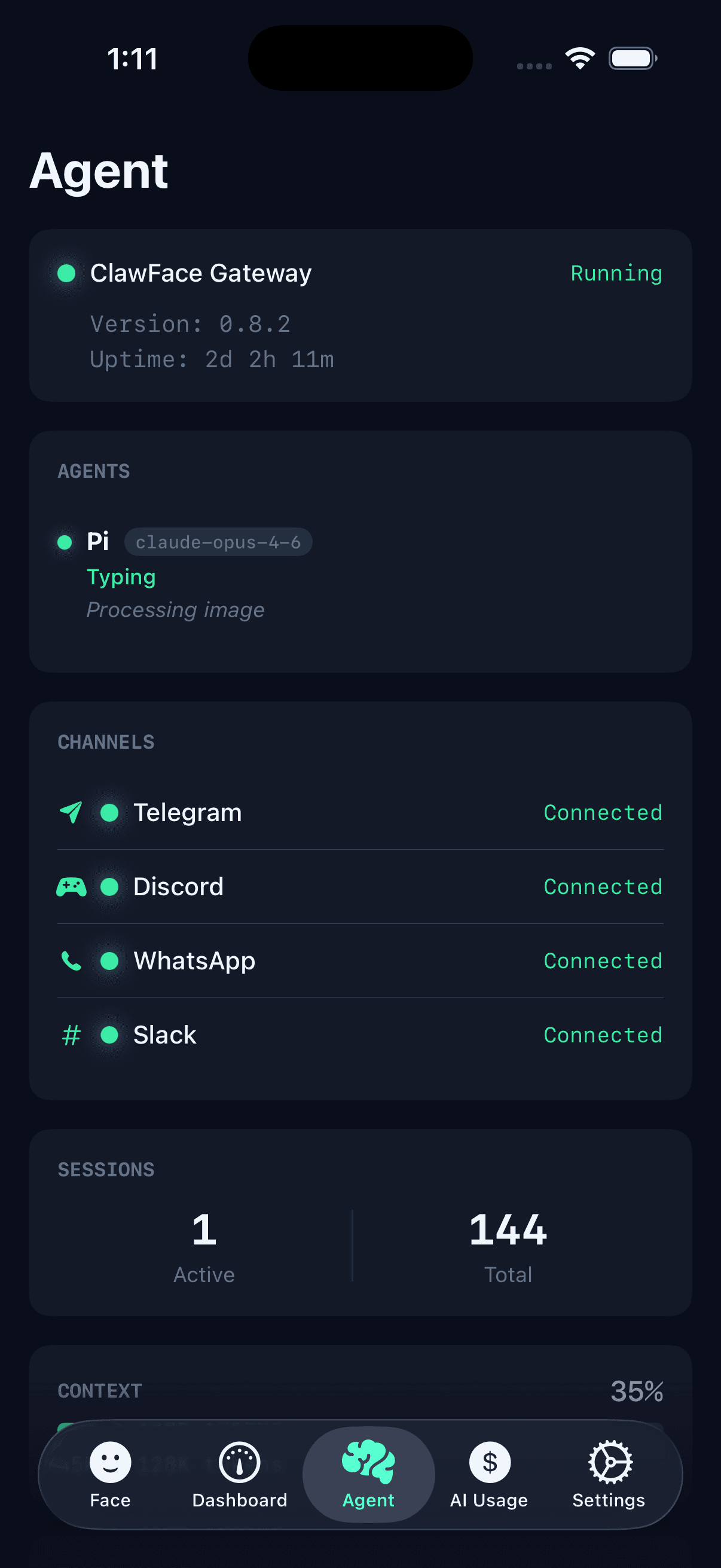
Agent Status
Agent sessions, channels, and gateway health in real time. Know instantly when Telegram disconnects or Discord goes down.
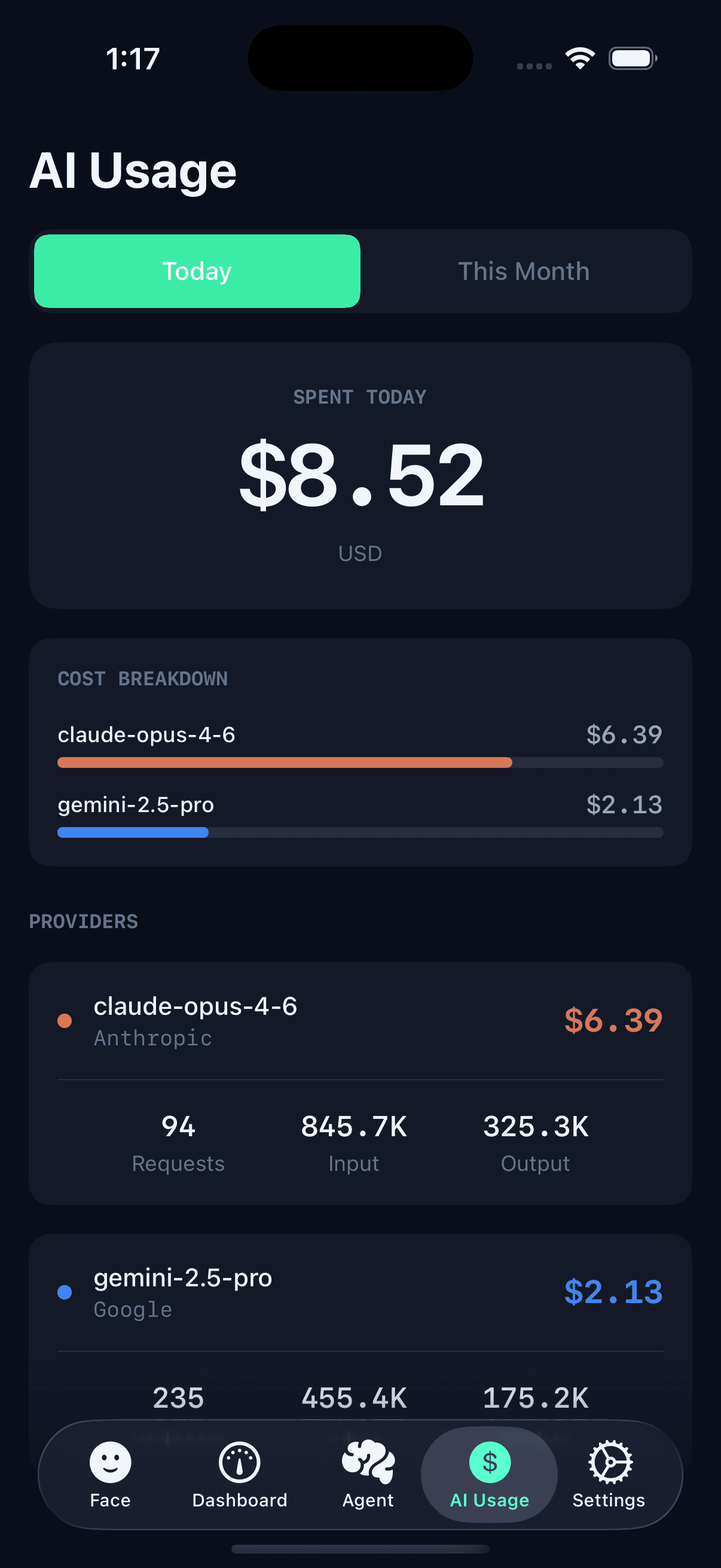
AI Cost Tracker
Track spending across Claude, OpenAI, Gemini, and DeepSeek. Daily, weekly, and monthly breakdowns with per-provider attribution.
Desktop Menu Bar
Native macOS menu bar app with live CPU, memory, AI costs, and gateway status — always one click away. Open source and free.
Mac Menu Bar Companion
A native macOS menu bar app that monitors your system and streams real-time data to ClawFace on your iPhone. Privacy-first, free, and open source.
- Live CPU, memory, disk, and GPU temperature in your menu bar
- AI spending breakdown across Claude, OpenAI, Gemini, DeepSeek, and more
- ClawFace Gateway status with agent session and channel monitoring
- One-click device pairing with QR code or CLAW-XXXX code
30 Seconds to Setup
Start Your Gateway
Run your ClawFace Gateway on Mac. It auto-connects and displays a pairing code: CLAW-7X3K
Scan the Code
Open ClawFace on your iPhone, scan or type the pairing code. That’s it.
Monitor from Anywhere
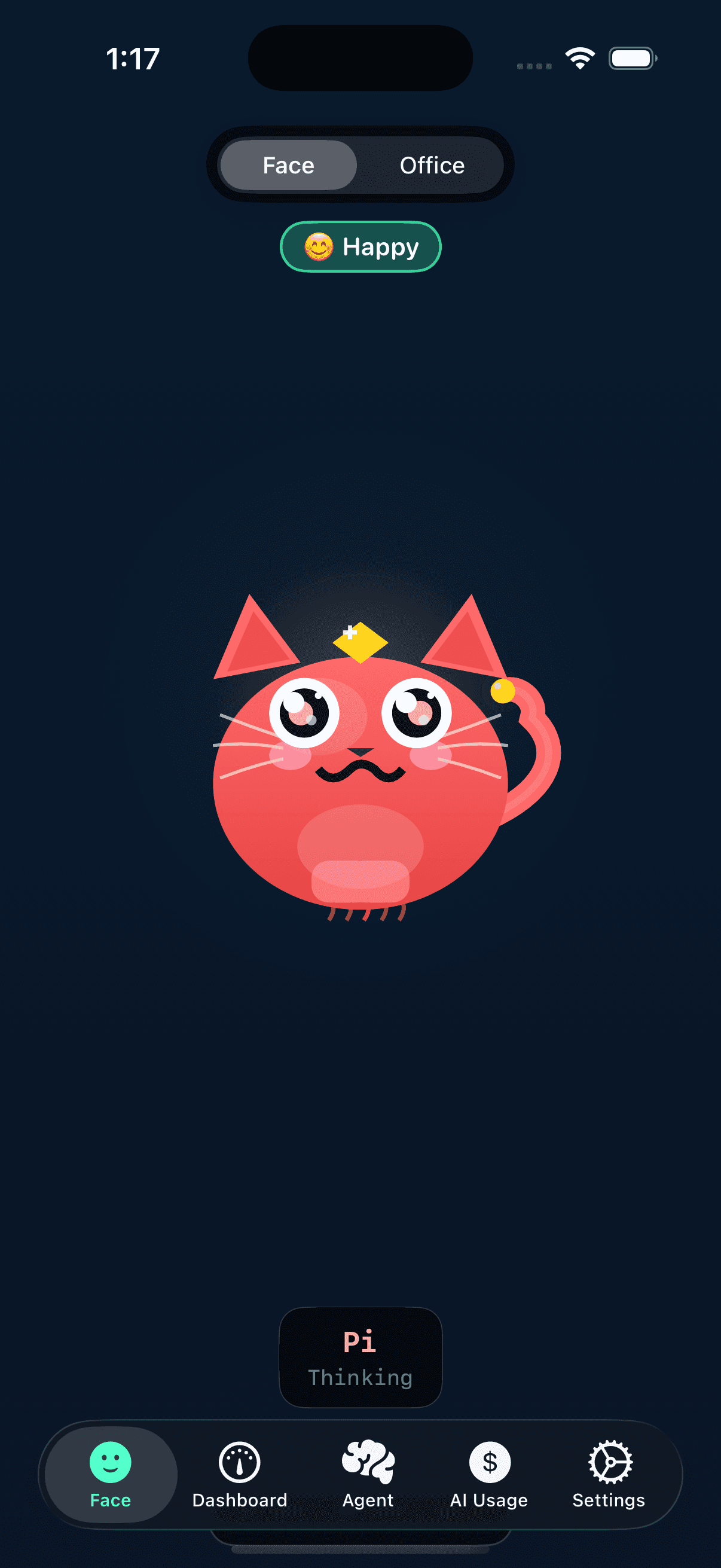
Your Mac now has a face. It smiles when systems are healthy, alerts you when they’re not — from anywhere.
More faces coming soon...
Every Mood Tells a Story
Happy
All systems nominal
Busy
High CPU/memory load
Sleepy
System idle
Stressed
Resources critical
Alert
Service down!
Spending
AI budget warning